Whether you are writing a research paper on your computer, finding your files on your desktop, or just trying to navigate the internet safely, digital literacy is key to academic and professional success.
Being digitally literate goes beyond knowing basic computer skills. Digital literacy is about navigating the digital environment efficiently, staying organized with your files, and critically evaluating digital information.
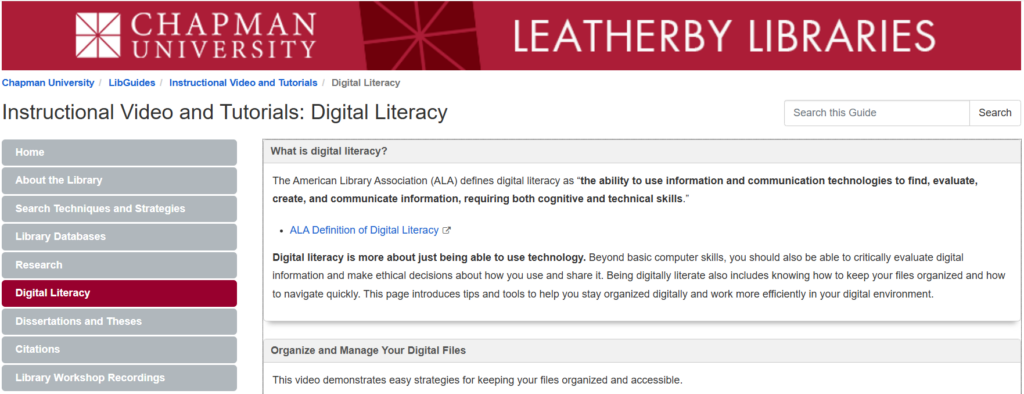
To help you build these essential skills, the Leatherby Libraries have added a new digital literacy page to the Instructional Video and Tutorials LibGuide. There are video tutorials, practical tips, and valuable links to IS&T security resources!
What You’ll Find in the New Guide:
- Organize & Manage Your Digital Files
Never lose a document again. Our featured video walks you through practical strategies for file management to keep your desktop, computer system, and cloud storage cleaned and streamlined
- Smart Use of Built-in Computer Tools
Work smarter, not harder! Watch video walkthroughs covering time-saving Windows and Mac computer shortcuts and features, including:
-
-
- Screenshotting
- Copying and Pasting
- Finding and Searching Text
- Voice Typing
- Accessibility Tools and Digital Wellness
-
- Safety & Privacy of Your Digital Information
Protecting your identity, passwords, and data is a critical part of digital literacy. The guide provides direct links to Chapman University’s IS&T information security best practices.
Ready to Improve Your Digital Skills?
Mastering digital tools may not happen overnight, but small changes to your digital habits add up fast. Explore the Digital Literacy page to view the video walkthroughs or contact STEM Librarian, Elaine Yeung, at eyeung@chapman.edu for any questions.