Turnitin Draft Coach Now Available for Chapman Users
December 1, 2025
Dear Chapman Community,
We are excited to share that Turnitin Draft Coach is now available for all Chapman University staff, students, and instructors who use Microsoft Word and Google Docs. This tool helps writers refine their work before submission by checking for similarity, citations, and grammar, all within the document.
Key Features
- Similarity Reports – Run up to three similarity checks per document to identify matching text and improve originality.
- Citation Review – Draft Coach checks your in-text citations and references for accuracy and consistency.
- Grammar Support – Receive helpful suggestions to strengthen clarity, structure, and overall readability.
Where to Find It
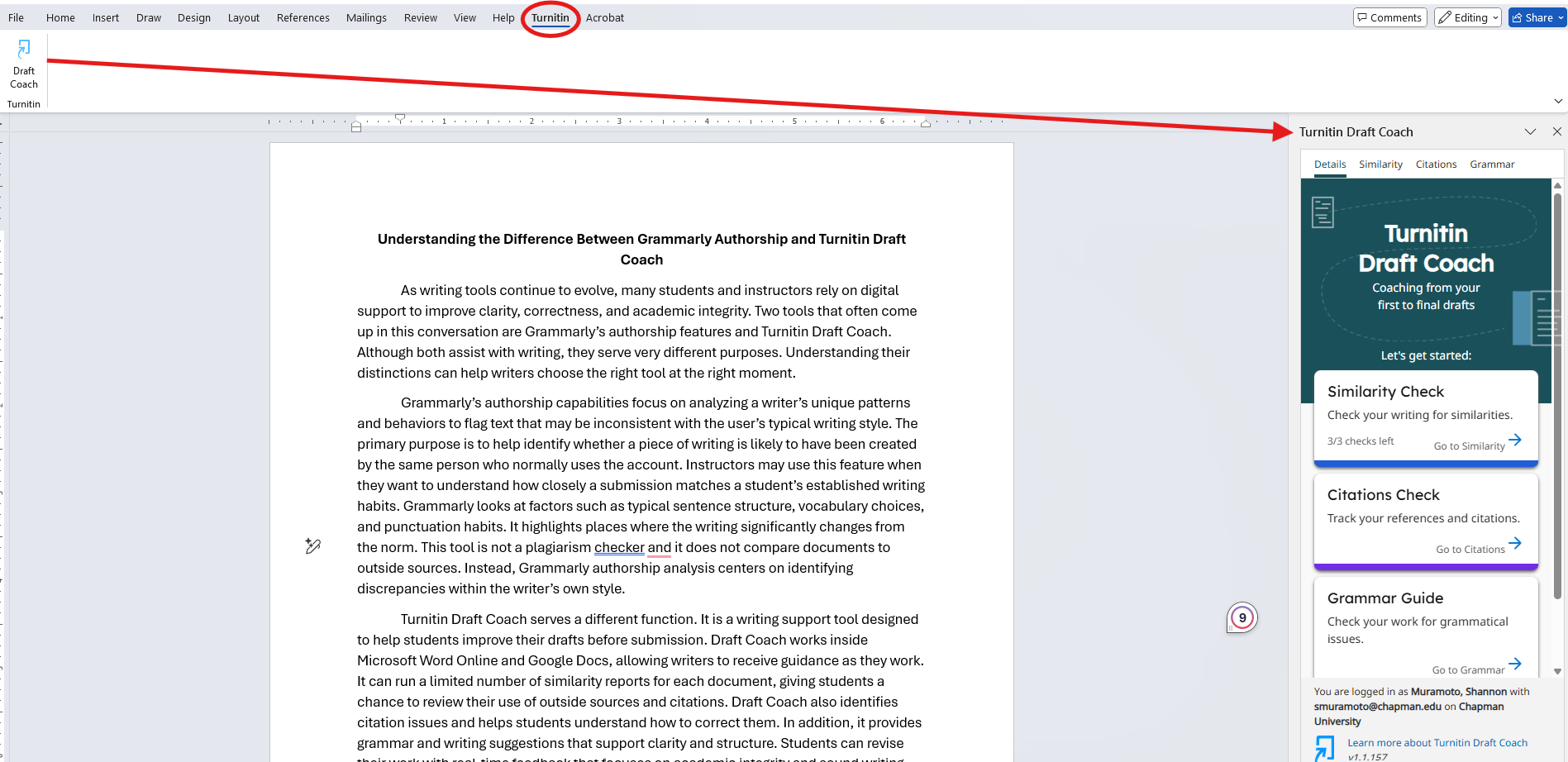
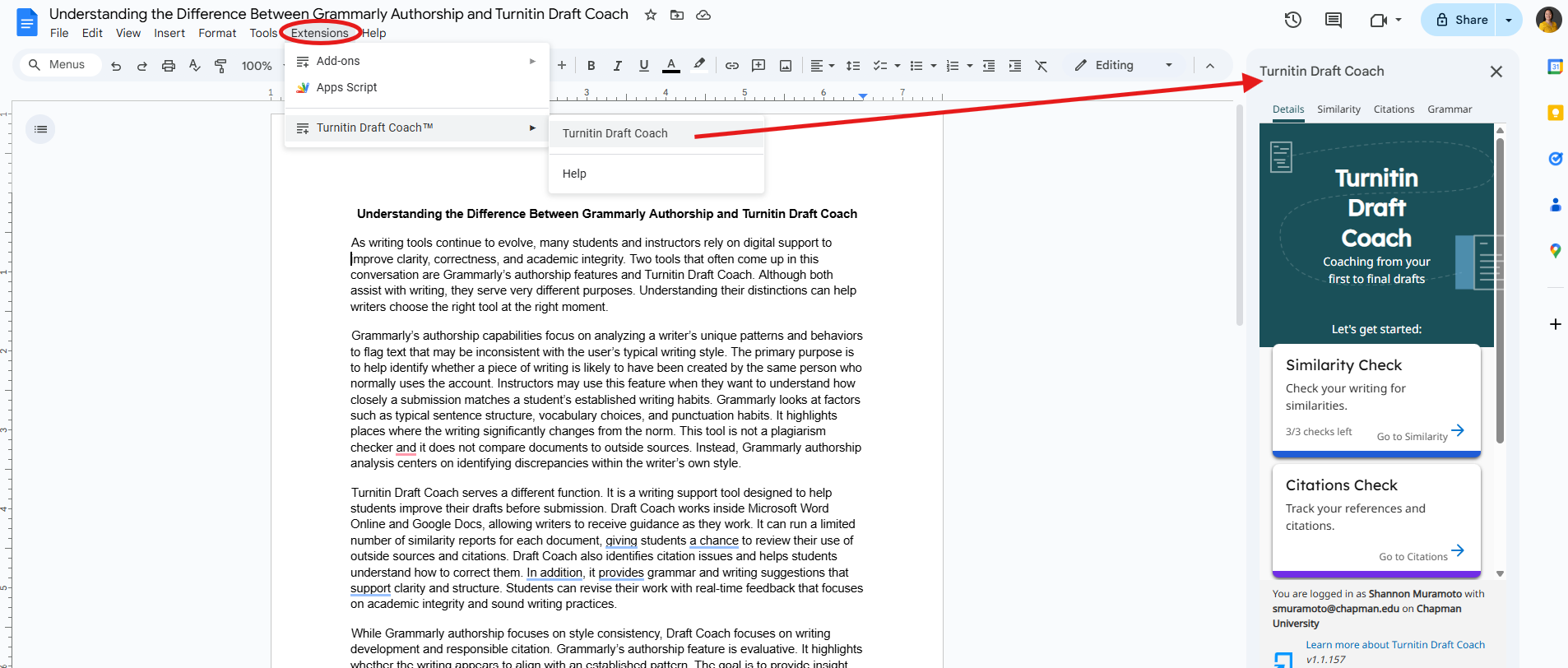
You can launch Draft Coach directly from Microsoft Word toolbar or from Google Docs Extensions. Screenshots below will show you exactly where to access it.
Microsoft Word
Google Docs
Give It a Try
This tool is available to all Chapman users with no extra setup required. Try Draft Coach on your next essay or writing assignment to get helpful feedback before you submit.
Questions?
Feel free to reach out to the Educational Technology Services at canvas@chapman.edu for questions or concerns about Turnitin Draft Coach.