Changes to Google Chrome’s Google Lens Tool
September 8, 2025
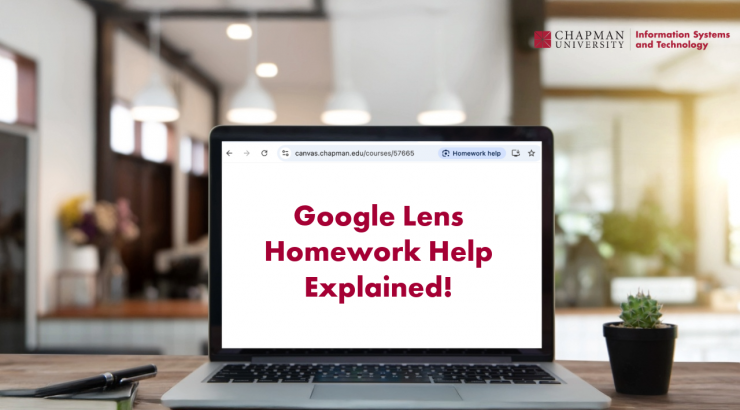
We would like to inform you about a recent change to Google Chrome’s Google Lens tool. This feature now appears as a ‘Homework help’ icon in Canvas and other learning management systems, making AI-powered content analysis and question answering easily accessible to students.

Because Google Lens now appears prominently as ‘Homework help’ in Canvas, students may be more likely to use AI assistance during assessments. This increases the importance of clearly communicating your expectations regarding AI use.
Should I stop doing assessments inside Canvas? No. Multiple AI plugins have been available across browsers for some time. However, with this update, the tool is now more visible to students using Chrome within Canvas. It remains important to adapt assessment practices as needed.
Can the feature be disabled for Chapman students? No. At this time, it is not possible to disable Google Lens on personally owned devices.
What actions can I take?
- Review your syllabus and AI policy. Ensure your syllabus contains a clear and detailed statement on when AI tools may or may not be used. For examples and guidance, visit the AI Hub.
- Test Google Lens in your Canvas course. Try out the feature yourself in Canvas to better understand how it works and what students may be able to access. To learn more about Google Lens, read ‘Search with Google Lens in Chrome.’
- Consider using Respondus LockDown Browser for in-person assessments. LockDown Browser can help mitigate misuse during high-stakes, in-person assessments. For instructions, visit the provided resource or contact Educational Technology Services at canvas@chapman.edu.
Additional frequently asked questions will be added to this blog post as more information becomes available.
If you have questions about Canvas or would like a demonstration of Google Lens (Homework help), please visit our Zoom office hours M-F from 2:30 – 4:30 pm or schedule a consultation with a member of the instructional technology team.
Chapman University Information Systems & Technology (IS&T)
Update: Google has removed the “Homework help” button from appearing on Canvas pages with their latest Chrome update. However, it can be enabled easily by setting the Chrome flag “Lens Overlay EDU action chip” to “Enabled for trigger on all pages”. Also, “Ask Google about this page” works like “Homework help” and is enabled by default. This means that even though you may not see the “Homework help” button, the functionality is still there.